


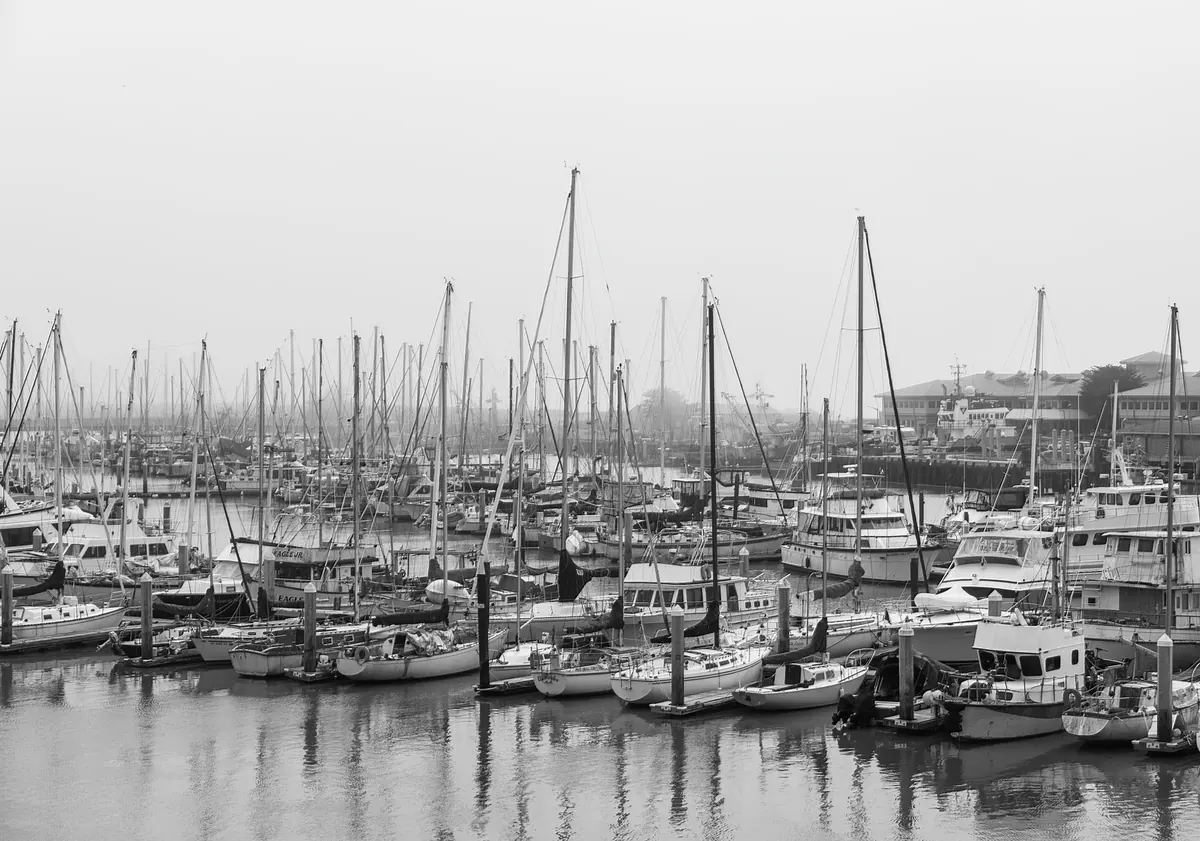
Fog turns a working harbor into a set of overlapping silhouettes. The breakwater vanishes at forty meters, a trawler's mast dissolves into white, and every wet bollard becomes a punctuation mark along the quay. It is some of the most generous light a harbor ever gives you, and it is also the light that fools more cameras than any other: the meter sees all that pale brightness, dutifully renders it as grey, and the detail you came for sinks into mud.
The fix is not exotic. It comes down to a few exposure habits, a composition that gives the haze something to wrap around, and a restrained hand at the editing stage.
Expose for the Fog, Not the Boat
Your camera's meter wants everything to average out to a middle tone. Aim it at a harbor full of white fog and it will pull the whole scene down to compensate, which is exactly how you end up with flat, dingy pictures that look nothing like the morning you stood in.
Start by adding light: plus one-third to a full stop of exposure compensation is a normal working range in thick fog. Then confirm it on the histogram rather than the rear screen, which lies in bright conditions. In a foggy scene the big hump of data should sit clearly to the right of center without touching the right-hand wall. If the fog itself clips, you lose the soft gradations that make the picture worth taking, and there is nothing in the file to recover.
Metering mode matters less than where you point it. Spot or center-weighted metering on something mid-toned — wet concrete, a weathered piling, a grey hull — gives you a stable reference while the fog drifts. When the sun starts pushing through and the contrast climbs, bracket three frames a third or two-thirds of a stop apart and choose later. Shoot RAW; fog gradients are exactly the kind of smooth tone that falls apart when you push a JPEG.
Settings That Preserve Detail
Aperture, shutter, ISO
Fog scenes usually have a clear foreground and a soft background, and you want both readable. f/8 is a sensible default; go to f/11 when a near bollard or railing needs to be sharp, and stop there. Fog hides distance, so there is rarely a reason to chase extreme depth of field at the cost of sharpness.
Hold at least 1/125 second with a normal lens and 1/250 with a telephoto, raising ISO as needed — a little noise in fog is far less damaging than a blurred hull. Before sunrise and after sunset, a tripod buys you low ISO and long exposures, and it also slows you down, which fog rewards.
Focus when the edges disappear
Low contrast is autofocus's worst environment. Switch to a single AF point and place it deliberately on the most defined edge in the frame: the corner of a wheelhouse, lettering on a bow, the iron ring on a quay. If the lens hunts, go manual and use live view magnification at ten times, rocking the focus ring until the rope fibers or the rust line snaps in. Then leave it and wait for the scene to come to you.
White balance
Fog carries color. It goes pink at sunrise, orange under sodium lamps, blue before dawn. Auto white balance will chase those shifts and give you a sequence of frames that do not match. Set daylight or a fixed Kelvin value and correct later.
A starting setup for a foggy morning:
- RAW, aperture priority, f/8
- ISO 200, raised until you can hold 1/125 second
- Exposure compensation +1/3 to +1 EV, verified on the histogram
- Single-point autofocus, then manual focus for flat subjects
- Fixed white balance, not auto
- Tripod if you are working before sunrise or after sunset
Give the Fog a Subject
Fog on its own is a grey rectangle. It needs an anchor — a bollard, a lone gull on a piling, a bow line curving off a cleat, a stack of crab pots, a channel marker, a figure in oilskins. The smaller the subject against all that white, the stronger the picture tends to be.
Silhouettes are the easy win: expose for the fog and let the boat go dark, and the shape does the work. But keep one patch of readable texture in the frame — rust, rope, wet paint, the grain of a plank — so the eye has somewhere to rest and the picture has scale. If you photograph people on the quay, ask first; harbor workers are on the clock and a nod costs nothing.
Work in Layers
Fog separates planes, and that is its gift. Build frames with three depths: a textured foreground, a defined subject in the middle, and something half-swallowed in the distance. A ladder of pilings receding into white does this almost by itself.
Focal length changes the rhythm. A 135mm to 200mm compresses hulls and masts into a graphic stack, each layer a shade paler than the last. A wide lens needs a strong near element within a meter or two, or the foreground becomes an empty white shelf. Move your feet: a single step sideways alters how a piling overlaps a hull, and in fog those overlaps are the composition.
Weather, Gear and Harbor Manners
Bring a cold camera into warm, damp air and the front element fogs from the inside of the atmosphere out. Let the bag acclimatize for twenty minutes before you shoot, and carry a microfiber cloth for spray. Never wipe grit across glass.
Docks in fog are slick. Algae-covered concrete, wet steel, mooring lines lying across your path, a forklift appearing out of nowhere — fog hides all of it, so listen as much as you look. Keep clear of working crews and never stand where a vessel is maneuvering. A camera strap around your neck by the water's edge is cheap insurance.
Editing Fog Without Flattening It
Fog files look flat because they are flat. A gentle S-curve, a modest contrast boost, and a slight lift of the blacks will bring the atmosphere back without turning the morning into a thunderstorm. Resist the urge to make fog scenes punchy; they live in the mid-tones.
The dehaze slider is where good fog pictures go wrong. Pushed hard it darkens the very tones that make fog beautiful, leaves halos along the horizon, and turns white vapor into dirty grey. A better approach is local: brush a little contrast and clarity onto the anchor only, and leave the fog untouched. Dodge the soft light around your subject rather than darkening everything else.
Watch for banding in those wide, smooth gradients when you push tone. RAW files and a whisper of grain hide the steps. Keep the color cast, too — the sodium glow on fog at dusk belongs to the harbor, and neutralizing it to a clean white usually looks like a mistake.
A Short Field Routine
Arrive before the light does. Walk the quay without the camera out and find two or three anchors that would work if the fog thickens or lifts. Set the camera once — f/8, ISO 200, plus two-thirds of a stop, fixed white balance — and then stop fiddling.
Shoot a frame, check the histogram, adjust, and repeat as the fog breathes. It changes by the minute, thinning in one direction and closing in another, so work a single location until it stops giving you anything rather than running between spots. Then go home, keep the editing quiet, and let the white do its work.
Photo: Robert So / Pexels